Content & media
Headings, formatted text, images, buttons, icons and audio.
IMBA BUILDER / VISUAL FREEDOM
We build your professional website and plan its editing from the start. Modern web technology does not automatically provide a content tool. Imba Builder is our visual part of the solution, letting you work with text, images and available sections on the website we create for you.
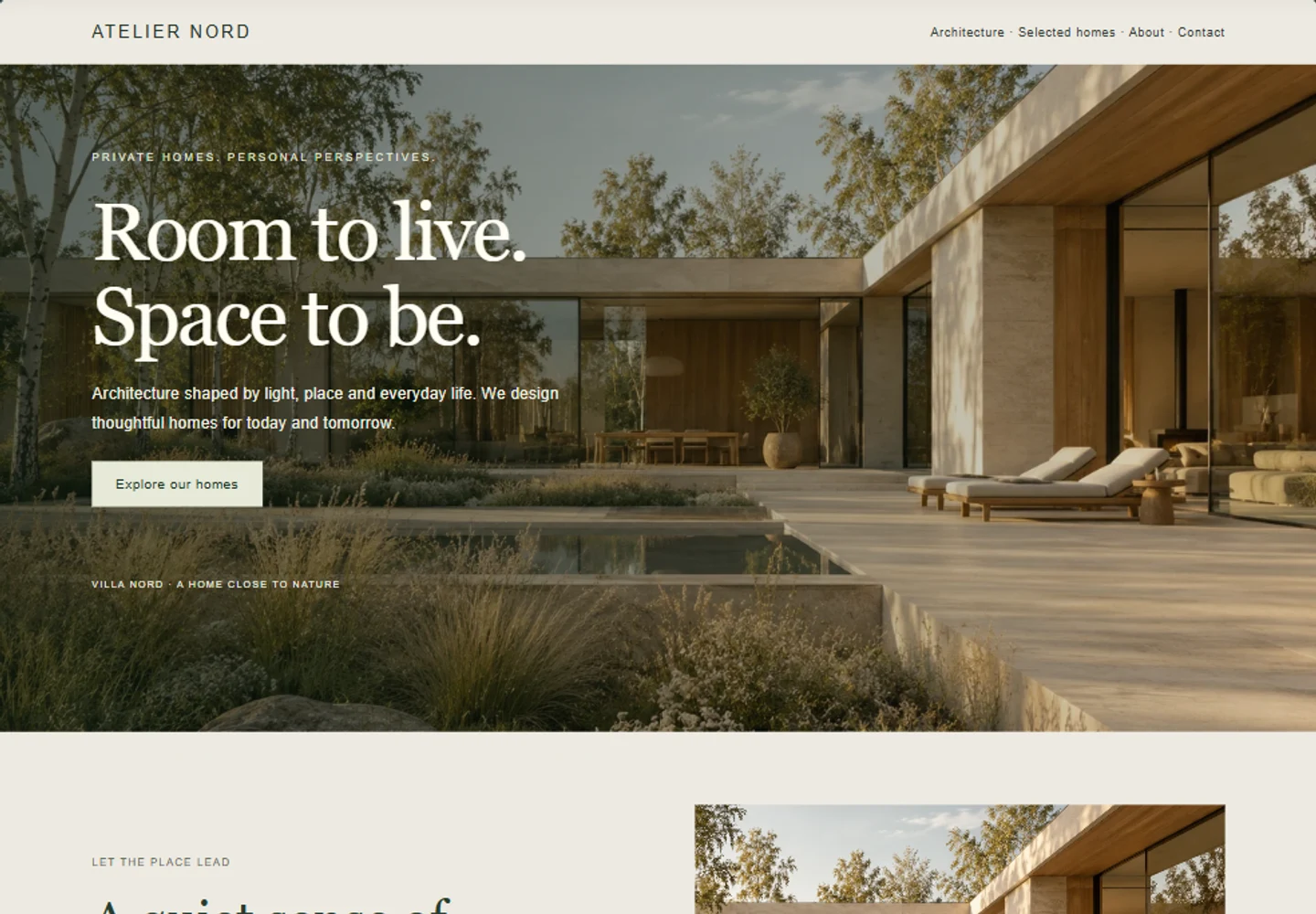
THE SAME WEBSITE. YOUR WORKSPACE.
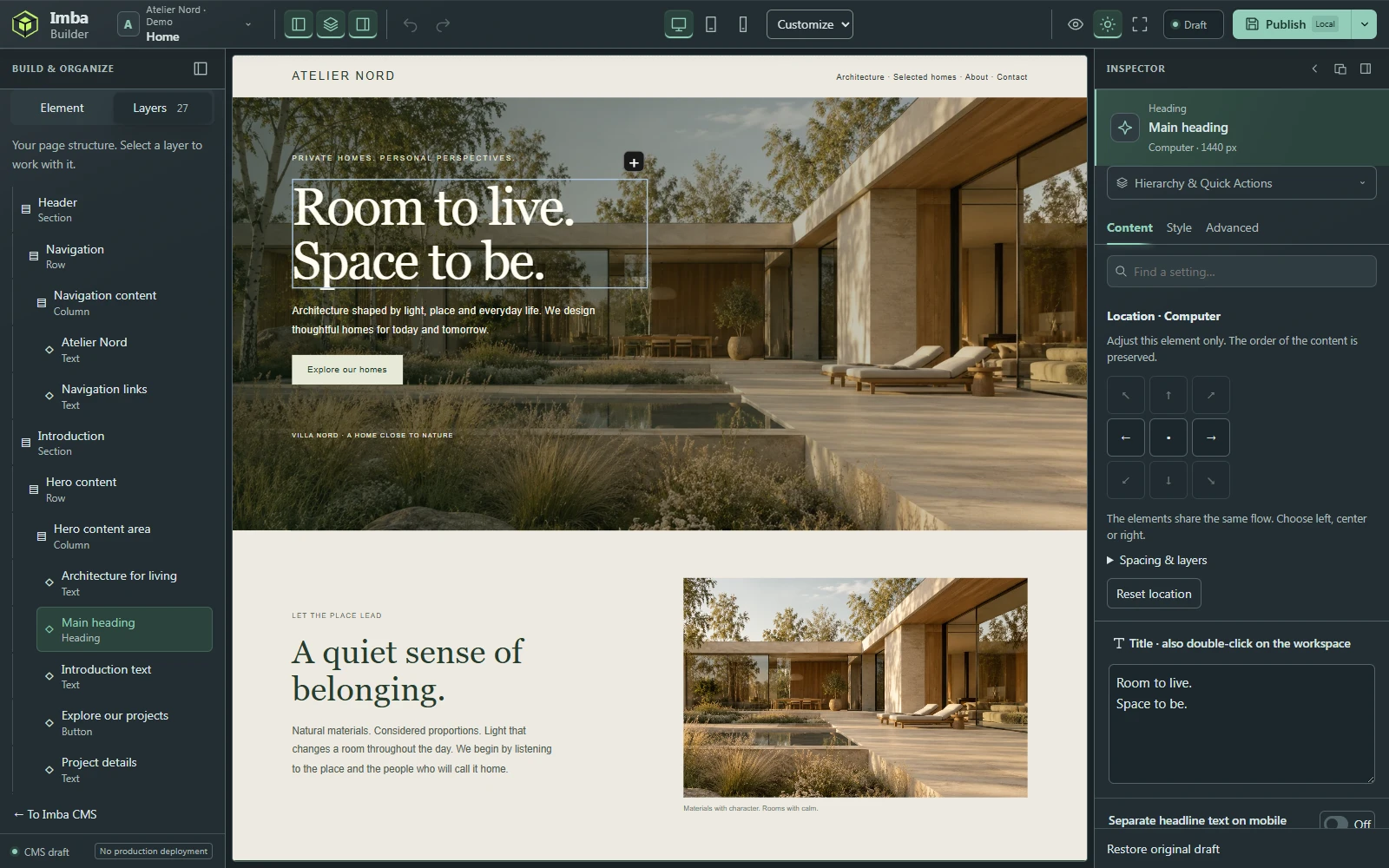
Select content on the page or in the layer list. Settings for the selected element appear alongside it. The page, structure and tools share the same view.
 Enlarge product image
START WITH EVERYDAY CHANGES
Double-click text on the canvas or use the content panel. The layer list helps you select the right part as the page grows. Undo and redo are in the toolbar.
Try the editing principle here. This is a simplified demonstration, not the full Builder.
Update it as your business changes.
Without starting in a code file.
A simplified illustration of immediate feedback. The product images show the real interface.
See how Imba Builder worksKEEP BUILDING
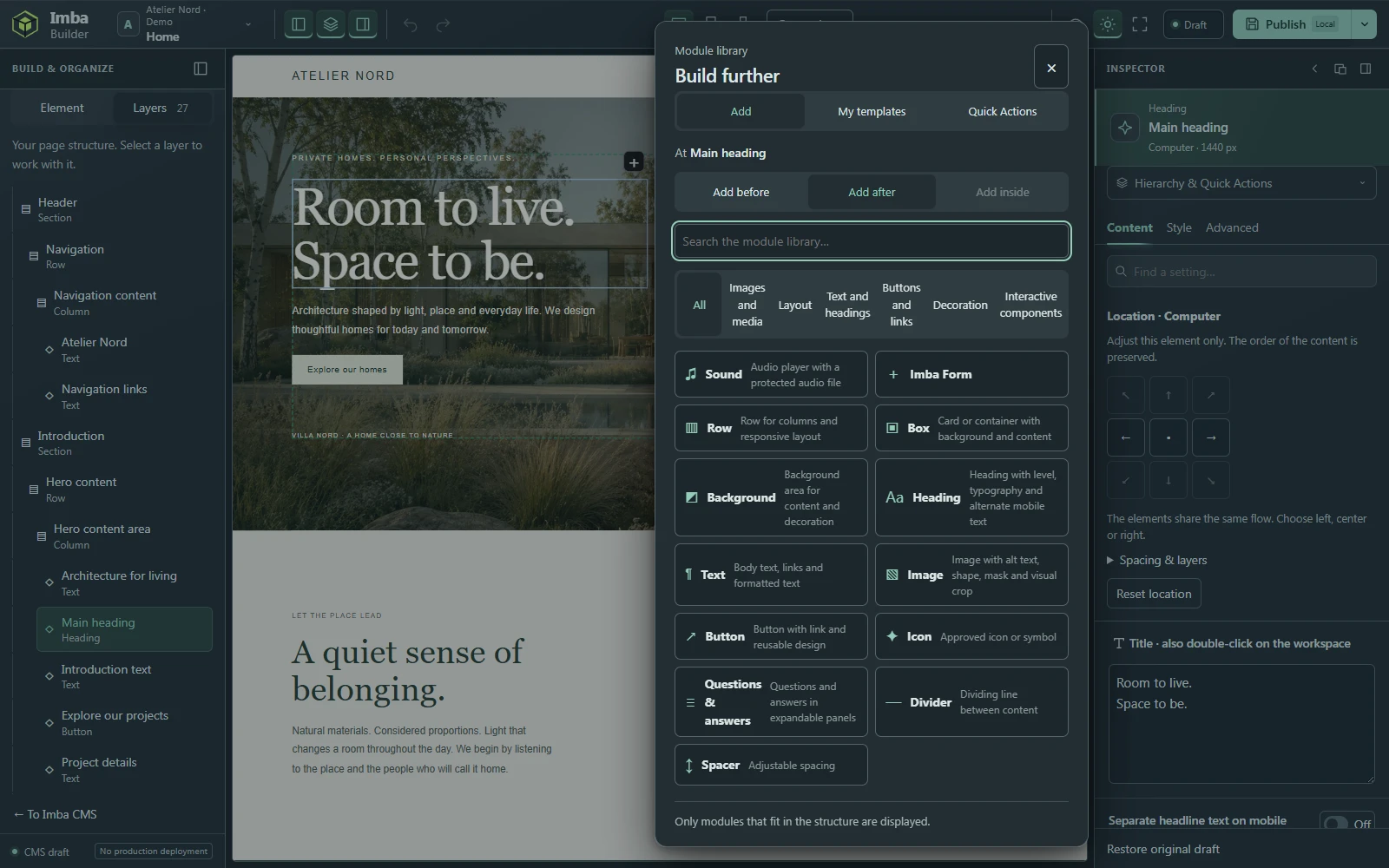
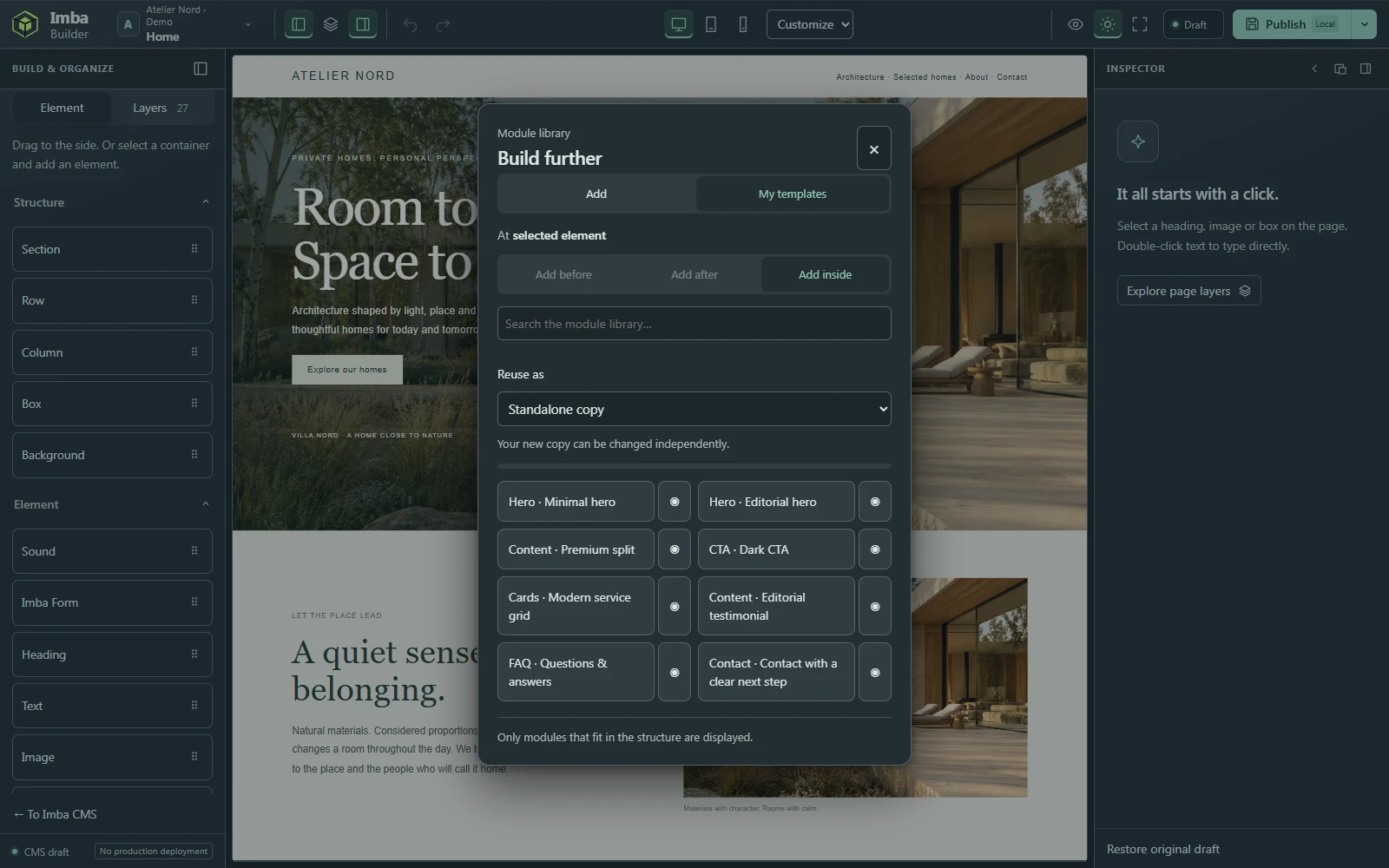
Open the plus menu beside a section and add a new one before or after it. Build further with rows, columns and content within the page. The library shows what fits where you are working.
Real plus menu with a new section as an option.
Ask us to show you how it works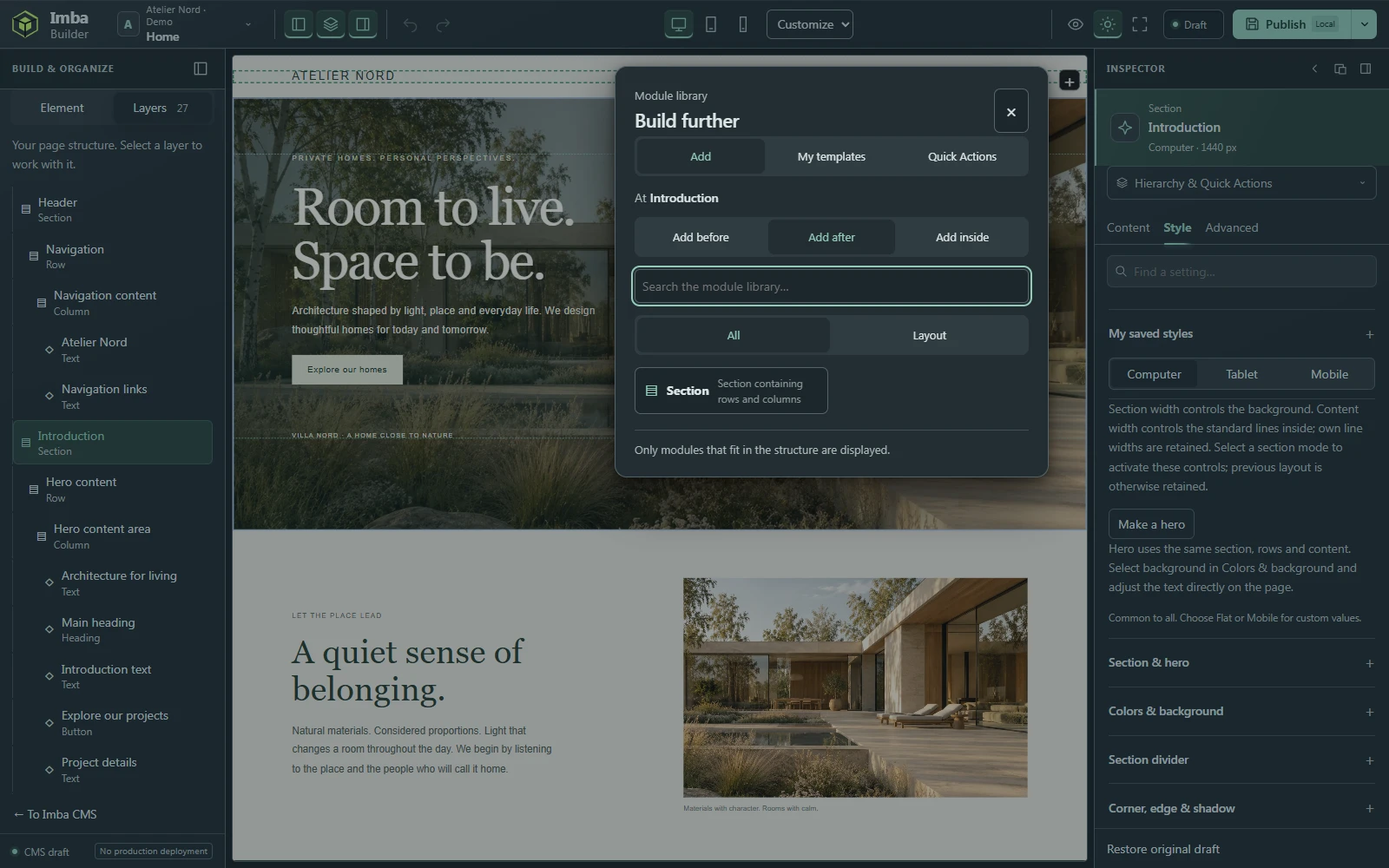 Enlarge product image
 Enlarge product image
DEFINE YOUR STYLE
Work with typography, colours, spacing and backgrounds in the style panel. Content, style and advanced settings have their own views, so you can focus on what you want to change.
Real style panel for the selected heading.
Ask us to show you how it works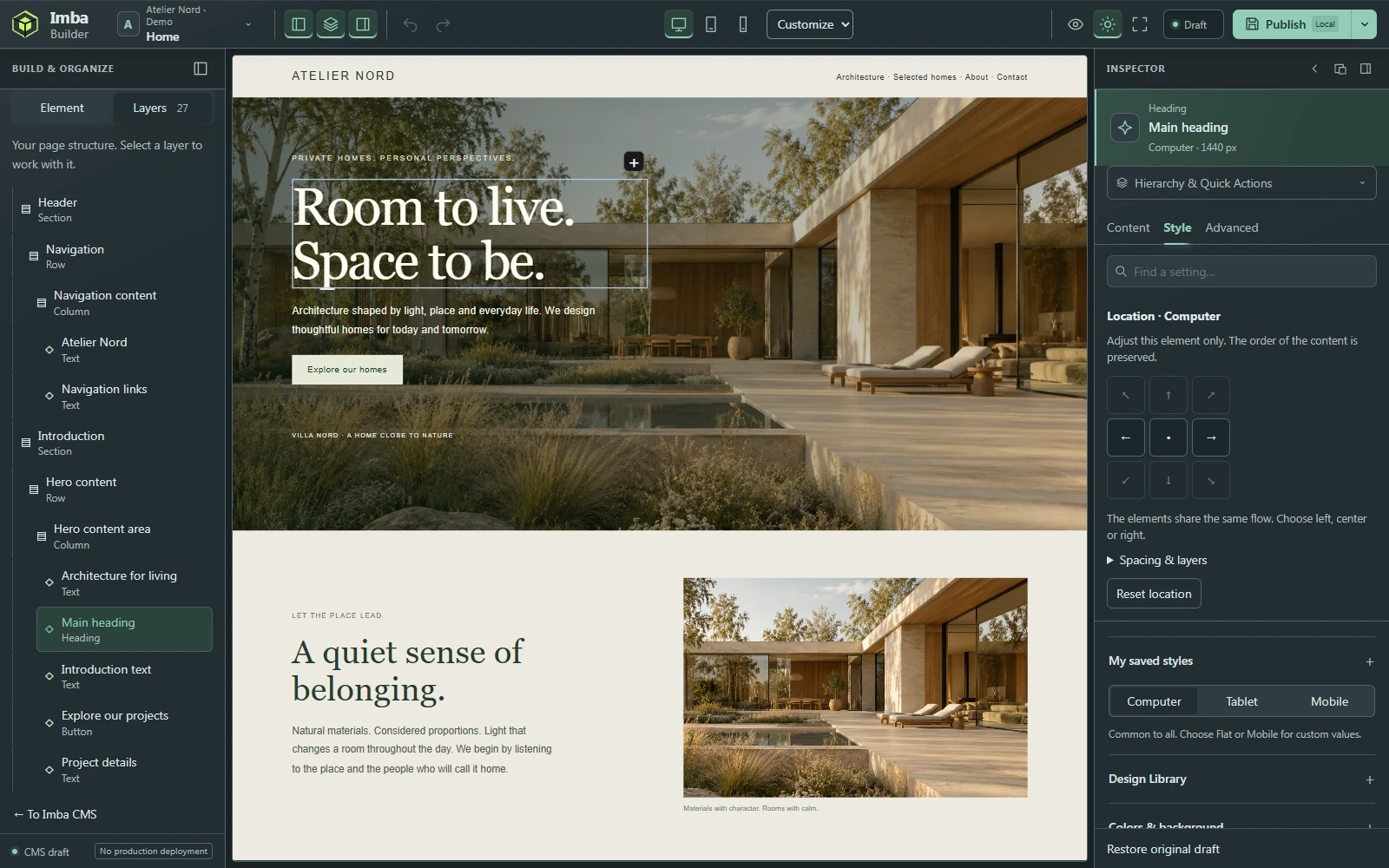 Enlarge product image
SEE THE WHOLE PICTURE
Switch between desktop, tablet and mobile in the toolbar. Review the page width and use the responsive settings available for the selected element.
Builder’s real mobile view within a desktop workspace.
Ask us to show you how it works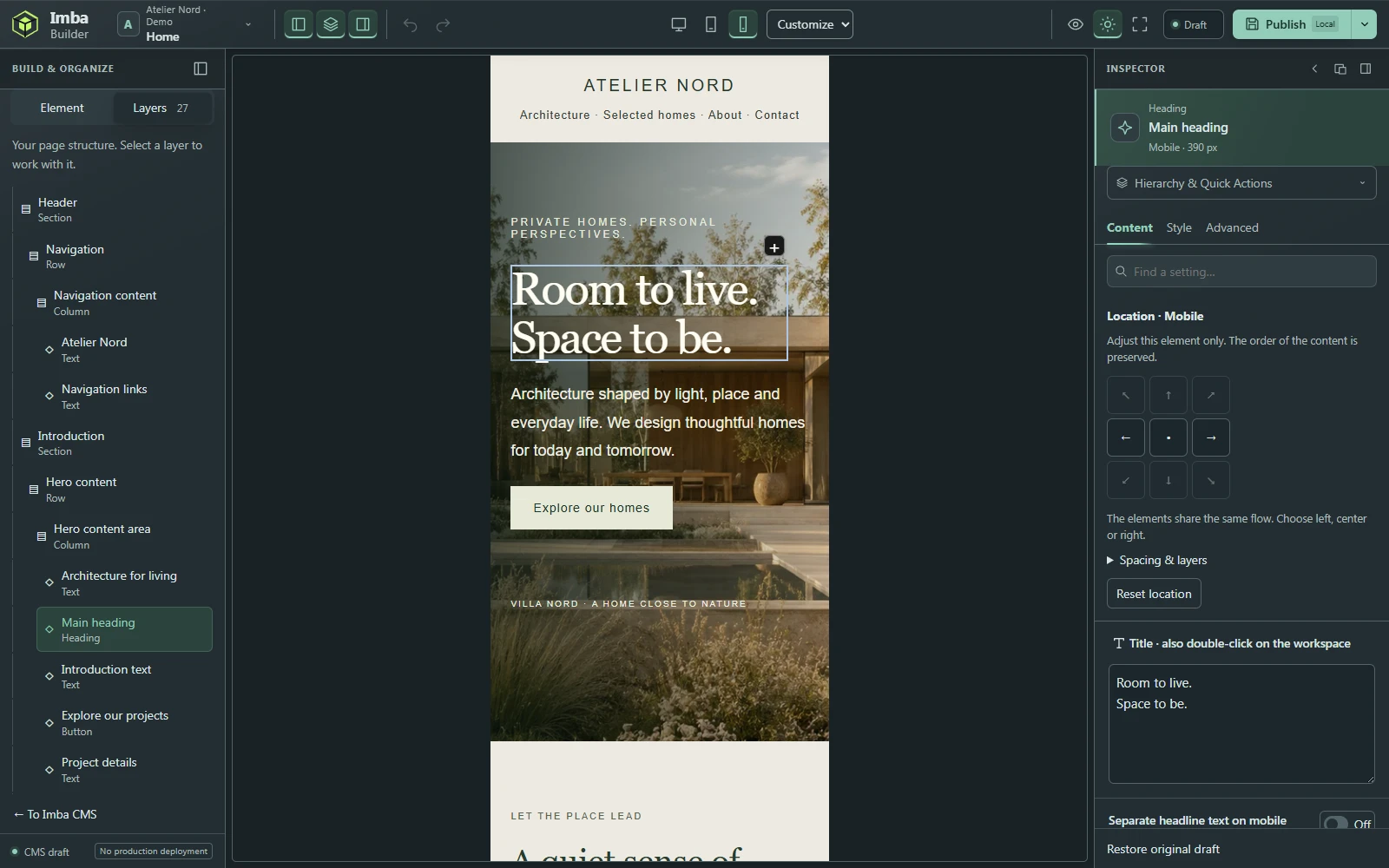 Enlarge product image
GIVE THE IMAGE THE RIGHT PLACE
Select an image in the layer list and work with its source and alternative text. Its size, proportions and position are handled through the available design settings.
Real image settings. Project image in a separate demo environment.
Ask us to show you how it works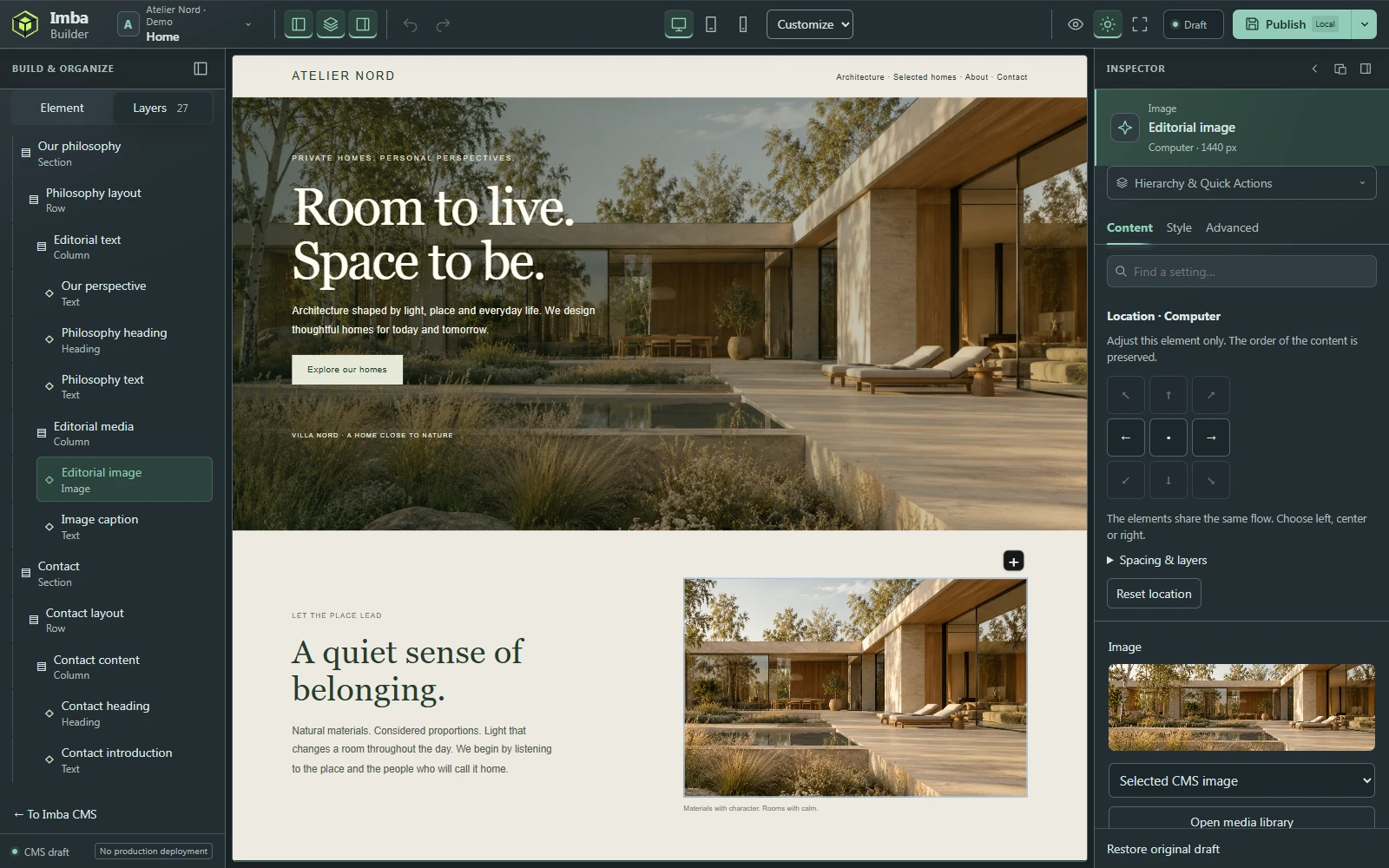 Enlarge product image
BUILD ON A GOOD START
The built-in starter library includes hero sections, content, services, contact and questions and answers. Insert a suitable template and continue working with the page’s own elements.
 Enlarge product image
Headings, formatted text, images, buttons, icons and audio.
Sections, rows, columns, boxes, backgrounds, dividers and spacing.
Built-in starter templates, copying, duplication and style copying. Forms connect to Imba Forms where the integration is connected.
FREEDOM STARTS WITH A GOOD DELIVERY
We design and develop your website and show you how to make everyday changes. We explain which parts are editable, which integrations are included and how publishing works for your site. We can help with larger changes.